

Is Your Attendance Process Ready for Growth?
Somewhere between ten employees and fifty, most attendance processes quietly stop working. Nobody notices the exact moment it happens. The spreadsheet still gets updated. The WhatsApp group still buzzes with “I’m running late” messages. But HR is spending more time chasing numbers than using them, and management is making decisions on information that’s a day or two out of date.
That’s not a sign you’re doing something wrong. It’s a sign you’re growing. The trouble is that the systems built for a ten-person team rarely hold up once the business changes shape around them.
Here’s what tends to break first.
1. More employees
A manual register or basic spreadsheet can just about handle a small, stable headcount. Add new hires every month and it starts to strain. Someone has to keep it updated, chase missing entries, and manually reconcile who actually showed up. The bigger the team gets, the more that admin multiplies, not because the work is hard, but because nothing in the process scales with you.
2. More locations
One office is easy to keep an eye on. Multiple sites, branches, or job locations is a different problem entirely. Without a way to confirm where someone actually clocked in, attendance becomes a matter of trust rather than record. That’s where geo-fencing earns its keep: it ties a clock-in to a location, so managers aren’t left guessing whether a team was actually on site.
3. More managers
As a business grows, attendance data stops being useful to just one person in HR. Site managers, team leads, and payroll all need visibility, often into different slices of the same information. If getting that data means submitting a request and waiting for someone to compile a report, the system is working against the people who need to make fast decisions.
4. More payroll complexity
This is usually where the cracks show first. Missed clock-outs, disputed hours, and manual corrections all cost time, and they cost money. Industry estimates put the cost of unrecorded or inaccurate time at somewhere around 17% of payroll for businesses relying on manual processes. That’s not a small leak. It’s worth checking whether your current process is actually built to catch it.
What a system built for growth looks like
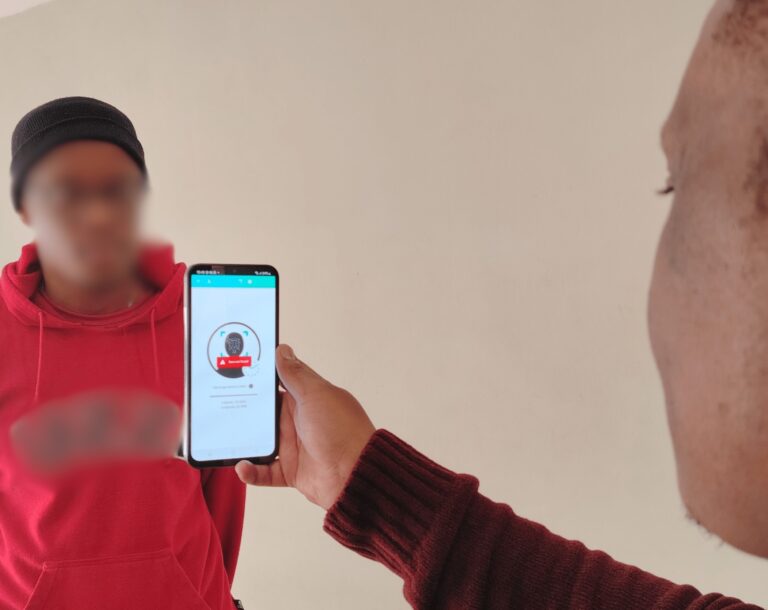
faceATT was built around these exact pressure points. Facial recognition with liveliness detection removes buddy punching from the equation, so the record reflects who was actually there. Geo-fencing confirms where a clock-in happened, which matters the moment you have more than one site. And because access is role-based, managers see what they need without HR having to compile it for them by hand.
It’s also built with South African compliance in mind from the ground up. Biometric data is stored as a non-reversible mathematical template, not a photograph, and processing follows POPIA’s requirements for special personal information. The employer stays the responsible party for their own team’s consent; faceATT operates strictly on the employer’s instruction. Data stays hosted in South Africa.
None of this requires an overhaul. Businesses can start on the free tier for up to 10 users, and scale up from R47 per user per month as the team grows, adding clocking images and GPS location tracking on the higher tiers as those become useful rather than paying for them from day one.
The real question to ask
It’s not “do we need new software.” It’s simpler than that: does your current process still work the same way it did when you were half this size? If the answer is no, that’s not a failure. It’s just a sign the business has outgrown the process that used to manage it.
Ready to see how faceATT handles it? Get in touch with our team for a walkthrough of how it would fit your business.